
Professional Services
Your Clients Pay for Expertise. Technology Should Protect the Time Behind It.
Professional services firms run on people, knowledge, responsiveness, and trust. Employees move constantly between client meetings, documents, email, proposals, projects, research, approvals, billing, and collaboration. When the technology behind that work becomes fragmented, your most expensive resource, your people start spending time searching, troubleshooting, re-entering information, or waiting for someone else to fix the problem. CSE helps professional services organizations build a more reliable, secure, and manageable environment around the way client work actually happens. Less time managing technology. More time delivering the work clients hired you to do.

In a Client-Service Business, Lost Time Is Hard to Hide.
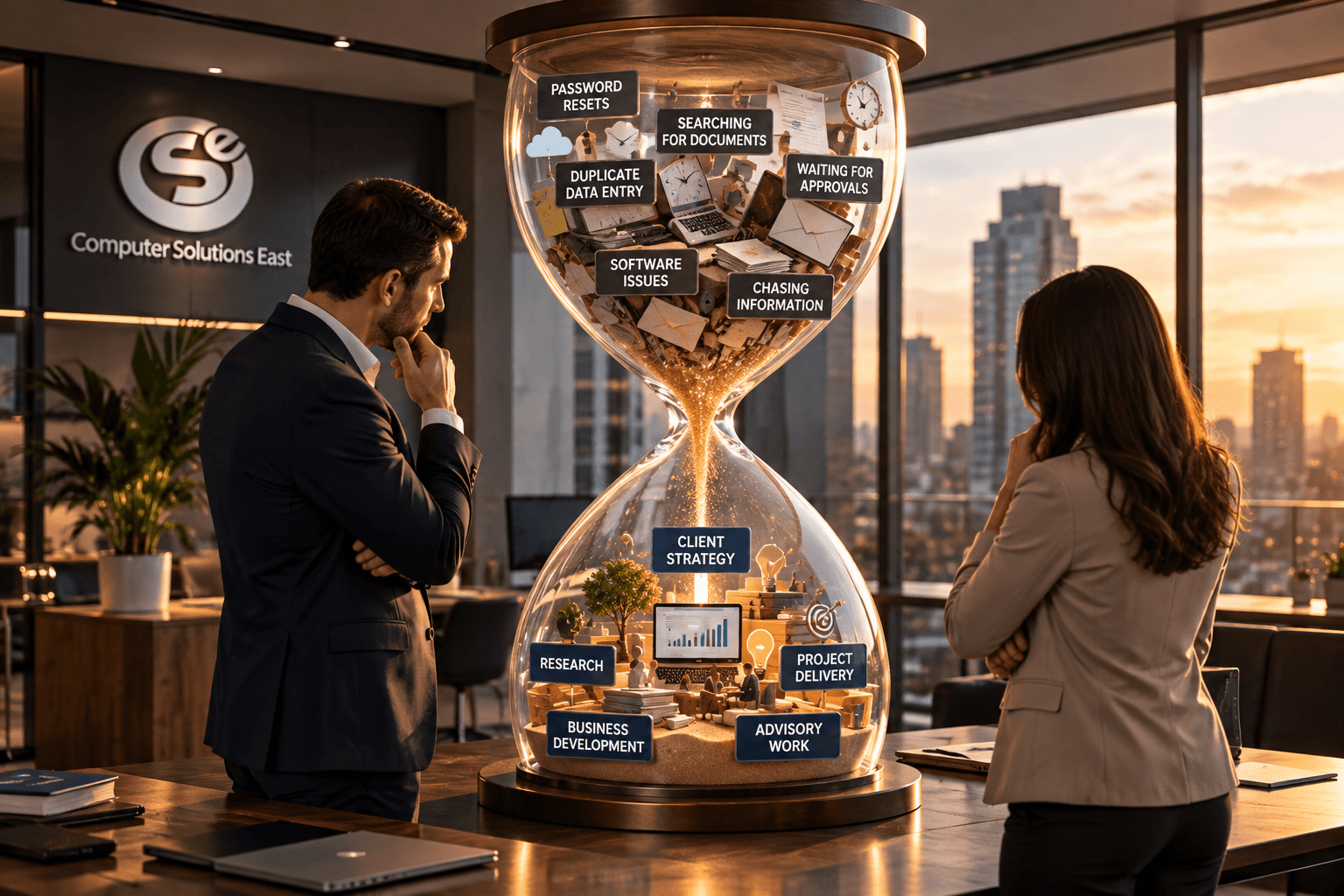
Professional services organizations rarely manufacture a physical product. The product is the expertise, attention, analysis, communication, and work of the people inside the firm. That makes technology friction unusually expensive. A consultant searching for the latest proposal, an account manager waiting for access, or a director troubleshooting a laptop is not just experiencing an IT inconvenience, they are losing time that could have gone toward a client, project, or new opportunity. At the same time, professional firms often handle confidential customer information and depend heavily on email, cloud applications, Microsoft 365, and remote access. The environment needs to support speed without giving up control.
Are your most valuable employees solving technology problems themselves?
When internal support is unclear, senior employees often become the unofficial help desk because they know the business best.
Does client information live in too many places?
Email attachments, shared drives, OneDrive folders, CRM records, local files, Teams conversations, and project applications can make it difficult to know which information is current.
Would one compromised account expose more than one client?
Employees frequently work across several client engagements at once. Identity, access, email, devices, and information permissions have to reflect that reality.
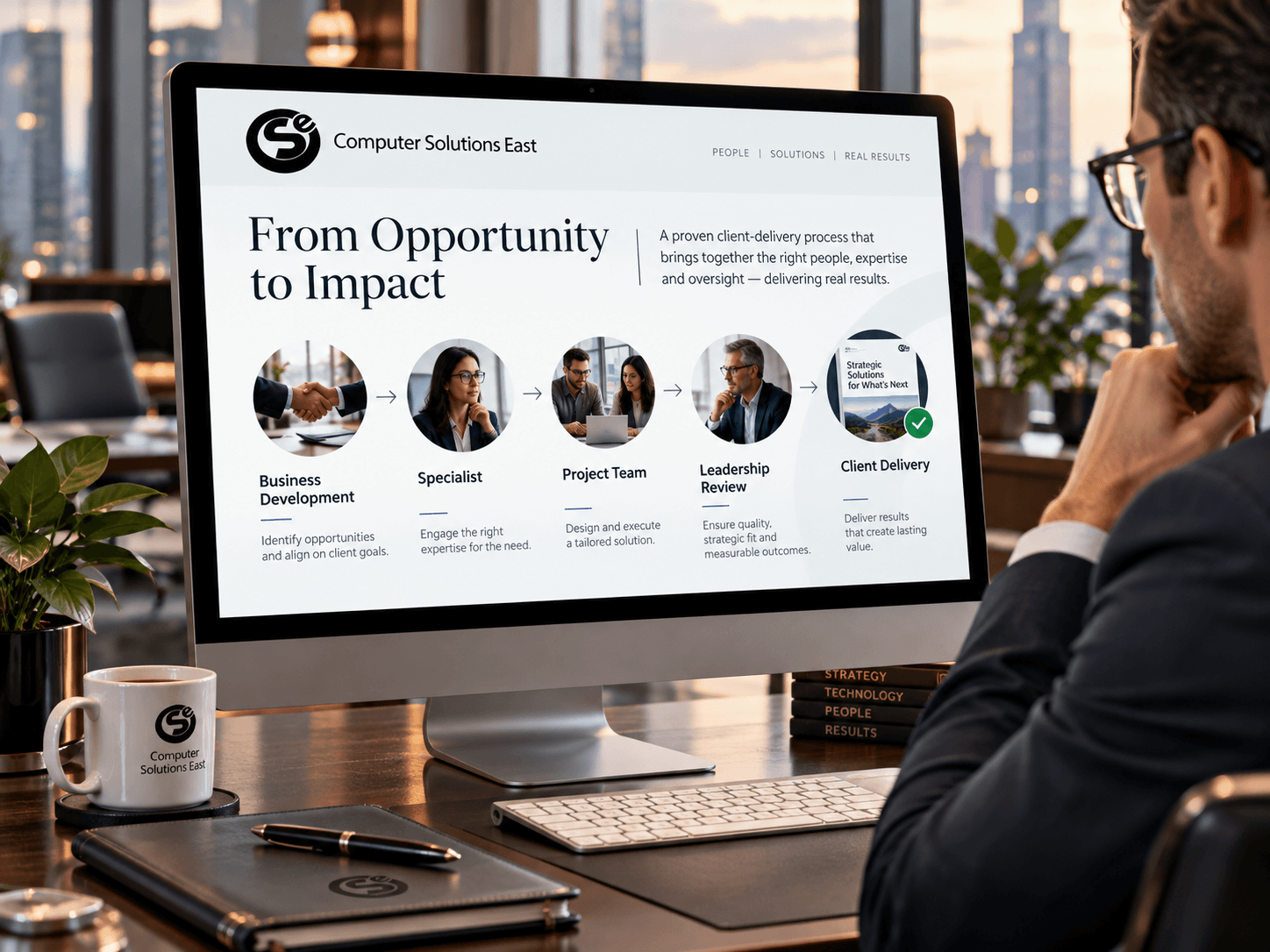
One Deliverable Usually Depends on More People Than the Client Ever Sees.
A proposal may begin with sales, move to a subject-matter expert, require research from another employee, pass through leadership for approval, and eventually become a project, invoice, report, or ongoing client relationship. The client experiences one firm. Inside the business, that work may cross multiple people, applications, documents, conversations, and approvals before it is complete. CSE looks at those handoffs to understand where information gets duplicated, where employees lose context, where access becomes unclear, and where technology is making the work harder instead of supporting it.
Work happens across rooms, devices and time zones. The workplace should too.
Start With the Client Work. Then Decide What the Technology Needs to Do.
Understand the Work
CSE reviews how employees communicate, collaborate, store information, work remotely, serve clients, use business applications, and move projects from opportunity through delivery. The goal is to see the environment through the work, not just through an inventory of hardware and licenses.
Remove the Friction
Once the recurring problems are understood, CSE can address the areas creating the most disruption: Microsoft 365 configuration, support, identity, devices, security, backup, collaboration, cloud infrastructure, workflow automation, or business applications.
Keep the Firm Moving
Professional firms change quickly as they add employees, clients, service lines, offices, applications, and new ways of working. CSE can provide ongoing management, support, security oversight, documentation, licensing guidance, and strategic planning so that growth does not recreate the same technology problems.
Support the People Who Generate the Value.
Managed IT & Help Desk
Employees need somewhere reliable to go when technology interrupts their work. CSE Managed Services can support Microsoft 365, devices, user issues, onboarding, troubleshooting, monitoring, and recurring technology problems without forcing senior staff to become internal support.
Microsoft 365 & Collaboration
Outlook, Teams, SharePoint, and OneDrive can provide clearer homes for communication and documents when they are designed around how client teams collaborate instead of being adopted application by application.
Identity & Security
Professional firms may hold confidential client information, contracts, financial records, employee data, research, and intellectual property. CSE can strengthen MFA, Conditional Access, endpoint protection, Microsoft 365 security baselines, and security monitoring around that information.
Backup & Recovery
A project folder, customer record, proposal, contract, or executive mailbox can be critical to client delivery. CSE helps define what needs protection, how long information should remain available, and how recovery works when something disappears.
Dynamics 365 & Business Applications
Client relationships do not end when a deal closes. Dynamics 365, Business Central, Power Platform, and connected applications can help bring customer information, opportunities, projects, workflows, approvals, billing, and business operations into more consistent processes.
AI & Automation
Copilot, AI agents, Power Automate, and business applications can reduce repetitive preparation, searching, summarization, follow-up, and administrative work. For a professional services firm, the opportunity is not replacing the expertise. It is giving experts more time to use it.
The Technology Stops Becoming Part of the Client Delivery Process.
A better professional services environment should feel quieter. Employees know where client information belongs, documents are easier to continue across teams, access follows defined responsibilities, recurring support issues have an owner, and leadership has a clearer understanding of what the business depends on. The technology still exists everywhere. Employees simply spend less time managing it.
Connect the Tools Your Teams Already Use Around the Client Work.
Professional services firms often already have much of the technology they need. Microsoft 365 supports communication and collaboration. Azure provides cloud infrastructure. Dynamics 365 and Business Central can support customer and business operations. Power Platform can connect workflows. Copilot can assist employees with information-intensive work. CSE helps bring those capabilities together around the firm's actual processes instead of deploying them as unrelated products.
Modern Work
Microsoft 365, Teams, SharePoint, and OneDrive can create a more consistent environment for documents, communication, meetings, and collaboration across client teams.
Business Applications
Dynamics 365 and Business Central can connect customer relationships, opportunities, business processes, and operations so employees have more context without reconstructing it manually.
Data & AI
Microsoft data, automation, and AI technologies can help employees find information, prepare material, summarize work, automate repetitive processes, and make better use of the firm's accumulated knowledge.
Your Best People Spend More Time Doing the Work Only They Can Do.
Fewer Interruptions
Employees have a clearer support path when something breaks, reducing the amount of time client-facing staff spend troubleshooting technology themselves.
More Consistent Client Work
Documents, communication, applications, and information are easier to continue between employees and teams, reducing the friction created by internal handoffs.
Better Use of Expertise
Automation and AI can take on repetitive preparation, searching, summarization, and coordination so employees have more time for judgment, strategy, and client interaction.
A Firm That Can Grow More Cleanly
New employees, customers, service lines, offices, and applications can join a more structured technology foundation rather than adding another set of exceptions.

Questions we hear early.
It is a structured review of how your people work and how your technology supports that work, followed by a plan to close the gap. The output is a workplace strategy and roadmap, not a software purchase.
Licensing gives you the capability. Consulting decides how it should be configured, which tools each team actually needs, how processes move between them, and how people are brought along. Most organizations already own more than they use.
Yes. The starting point is your current environment, including non-Microsoft tools. Replacing something is a decision the business makes, not a prerequisite for the engagement.
That is usually the reason organizations start. The goal is one workflow that behaves the same way in the office, at home or on the road, rather than a separate remote version of each process.
Yes. Adoption is part of the engagement, not an afterthought. A rollout that people do not use has not improved anything.
Your Workplace Should Fit The Way Your Business Works.
Let's identify where technology is creating friction and where a better approach can simplify the work.