
Microsoft 365 Migration
OPERATE
Mailbox migration
Exchange Online
Tenant-to-tenant migration
Identity coordination
Cloud migration is not just moving files, servers, or applications from one place to another. The real work is understanding what depends on what, who needs access, what cannot stop during the move, and what the environment should look like once the migration is complete. CSE helps organizations plan and execute migrations across Microsoft 365, cloud infrastructure, business data, and applications while keeping disruption, surprises, and unnecessary rework under control. Know what is moving. Know what depends on it. Know what comes next.

A mailbox may depend on identity. A file share may be used by an application. An employee may access the same information from a laptop, mobile device, and remote location. A server may support a process nobody thought to document. That is why cloud migration needs more than a transfer tool. CSE reviews the environment before the move, so dependencies, access, data, applications, infrastructure, and business priorities are understood before they become cutover problems. The existing CSE migration material already emphasizes discovery, dependency analysis, planning, migration, validation, and optimization as core stages.
Identify users, data, applications, infrastructure, and dependencies before the first workload moves.
Sequence the migration so one change does not unexpectedly break another system or process.
Test access, applications, permissions, and business workflows before declaring the migration complete.
Use the new environment to simplify management, strengthen security, and retire infrastructure the business no longer needs.
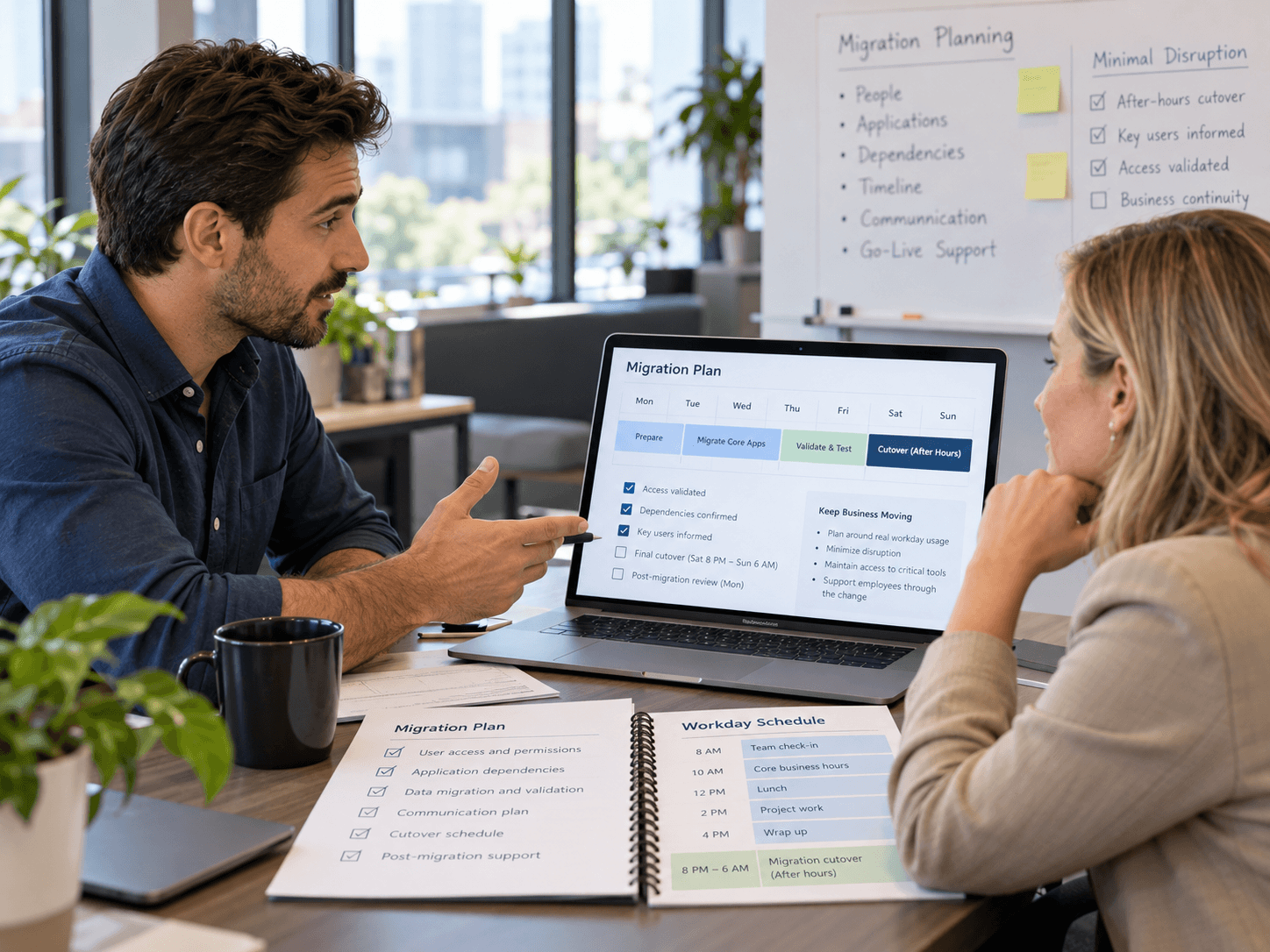
The technical move matters. But employees care about something simpler: “Can I still get to what I need on Monday morning?” CSE plans migrations around the way people actually use the environment — which files they access, which applications depend on them, how they sign in, who collaborates with whom, and what needs to remain available during the move. That helps the business arrive in the new environment without forcing employees to relearn everything at the same time.
Technology handled while the business keeps moving.
Some environments need a straightforward move. Others need restructuring, cleanup, or modernization before they are ready. CSE’s current migration offerings already include assessment, lift-and-shift, hybrid migration, application migration, testing, optimization, and post-migration support.
Migration risk grows when testing happens too late. CSE documents the source environment, target environment, dependencies, access, and expected behavior before cutover. That gives the team something concrete to validate: Can users sign in? Can they find their files? Do the applications still communicate? Are permissions correct? Can the business complete the same work after the move? The migration is not finished when the data lands. It is finished when the business can use it.
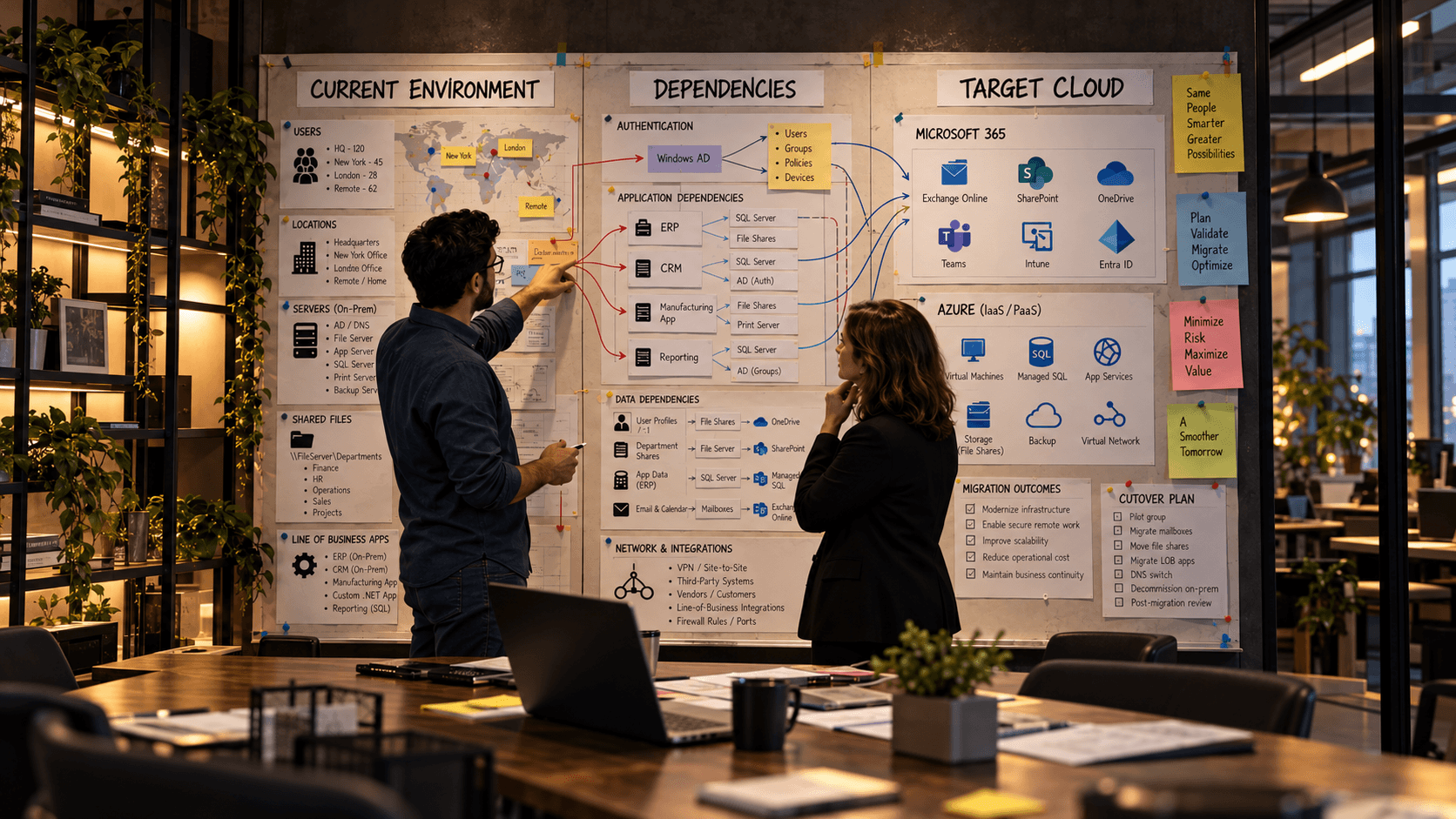
Review infrastructure, applications, Microsoft 365, identity, data, users, dependencies, and business priorities. Understand what exists before deciding what moves.
Define the target environment, migration sequence, access requirements, testing approach, cutover window, and recovery options.
Move the agreed workloads in controlled stages. Test users, permissions, data, applications, and integrations before progressing to the next phase.
Retire unnecessary legacy systems, review cloud resources, strengthen security, document the new environment, and identify what should improve next. The current CSE page similarly describes a structured process built around assessment, planning, execution, optimization, and post-migration support.
CSE works across Microsoft 365, Azure, identity, security, applications, and infrastructure, so migration decisions are not made in isolation.
The people planning the move understand what the environment will need after the migration is over.
Identity, permissions, access, and cloud security should be addressed as part of the migration — not postponed until after cutover.
Applications and data are evaluated in the context of how employees and departments actually use them.
Not everything needs to move on day one. CSE can support environments where cloud and on-premises systems need to coexist.
Migration is followed by validation, optimization, documentation, and ongoing support rather than ending when the transfer completes.

CSE Statement“A successful cloud migration should change what IT can do without forcing employees to wonder where everything went”
Applications, data, and systems move into an environment that can be managed and improved without depending on aging infrastructure.
Once the environment is in the cloud, the organization has a stronger foundation for security, automation, remote work, modernization, and future AI initiatives.
Support for your people, management of devices and servers, security monitoring, backup, Microsoft 365 administration, and ongoing technology planning. Scope is agreed up front.
Yes. That is the co-managed model — CSE covers after-hours coverage, security operations and project work while your internal team keeps what it does best.
Yes. CSE runs a NOC and SOC on a 24/7/365 basis, so monitoring and security response continue outside business hours.
Yes. Devices are managed wherever they are, and access policies are configured so remote work does not weaken security.
Yes. Administration, licensing, security baselines and adoption are part of the service, backed by Microsoft Solutions Partner designations.
Small and midsize organizations across the United States, with or without an internal IT team. If CSE is not the right fit, we will say so.
Let’s look at what’s working, what’s creating risk, and where CSE can take work off your team’s plate.