
Email & Mailboxes
OPERATE
Exchange Online
User mailboxes
Shared mailboxes
Calendar information
Cloud applications make information easier to access. They do not eliminate accidental deletion, overwritten files, compromised accounts, retention gaps, or the need to recover something from yesterday instead of today. CSE helps organizations protect critical cloud data with a defined backup and recovery process, so important information is not dependent on one copy, one application, or one employee realizing something disappeared.

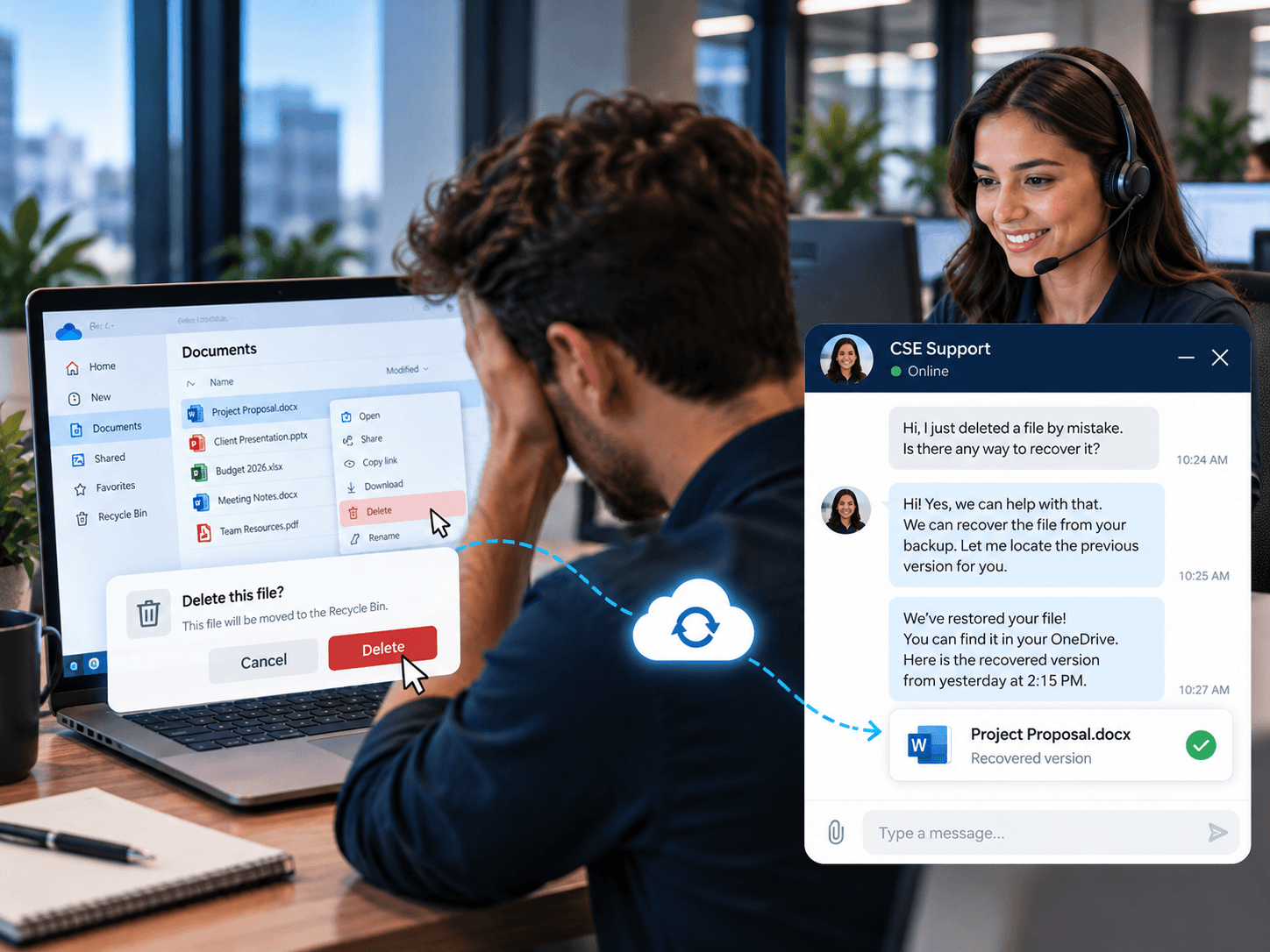
Data loss is not always dramatic. Someone deletes the wrong folder. A user overwrites a document. A mailbox needs information from months ago. An account is compromised. A synchronization mistake spreads before anyone notices. The problem becomes obvious only when the business needs the original information back. Cloud backup creates another recovery path so everyday mistakes do not have to become permanent business problems.
Critical business information is protected outside the employee's everyday working copy.
Go back to an earlier point instead of accepting the latest synchronized version as the only option.
Backup coverage is defined rather than assumed across users, applications, and data.
Backup activity and failures are reviewed so problems can be addressed before someone urgently needs a restore.

Cloud collaboration is built to keep information synchronized. That is useful until the wrong change is the one being synchronized. A deleted file, changed document, or account problem can quickly become the version everyone sees. CSE adds a separate backup process so the organization can recover information from before the mistake occurred.
Technology handled while the business keeps moving.
A backup strategy needs to reflect where business information actually lives, not where it lived five years ago. CSE’s current offerings include SaaS backup implementation as part of the broader backup and recovery capability. The redesigned capability model also includes immutable backup concepts, verification, recovery objectives, and scheduled restore testing.
Backup becomes risky when responsibility is unclear. CSE helps document what is included, how often protection occurs, how long information needs to be retained, and what the recovery process should look like when something goes wrong. That means the business does not have to figure out its backup strategy during the restore.
Determine which cloud applications, users, mailboxes, files, and business information need protection. Not every organization store or uses information the same way.
Set backup coverage, retention requirements, access, and recovery expectations around the actual environment.
Run the backup process and review activity so failures or gaps do not quietly remain unnoticed.
Restore information when needed and periodically review whether the backup strategy still matches how the business works.
CSE works across Microsoft 365, Azure, identity, devices, security, and cloud services, giving the backup strategy context around how the environment is actually used.
A backup is useful only if the information can be recovered when the organization needs it.
Different employees, departments, and applications have different data requirements. Protection should reflect those differences.
Backup is not treated as a one-time installation. Coverage and activity need ongoing attention.
Access to protected information and recovery processes should remain controlled rather than creating another unmanaged copy of company data.
Cloud backup can support a broader business continuity and disaster recovery program when more than individual files or SaaS data needs to be restored.
CSE STATEMENT“The value of backup is not seeing it work every day. It is knowing the business has everything covered the day something disappears.”
Employees know there is a defined recovery path instead of immediately assuming the information is gone.
The organization knows what is protected, how recovery works, and who is responsible for managing the process.
Support for your people, management of devices and servers, security monitoring, backup, Microsoft 365 administration, and ongoing technology planning. Scope is agreed up front.
Yes. That is the co-managed model — CSE covers after-hours coverage, security operations and project work while your internal team keeps what it does best.
Yes. CSE runs a NOC and SOC on a 24/7/365 basis, so monitoring and security response continue outside business hours.
Yes. Devices are managed wherever they are, and access policies are configured so remote work does not weaken security.
Yes. Administration, licensing, security baselines and adoption are part of the service, backed by Microsoft Solutions Partner designations.
Small and midsize organizations across the United States, with or without an internal IT team. If CSE is not the right fit, we will say so.
Let’s look at what’s working, what’s creating risk, and where CSE can take work off your team’s plate.