
Approvals & Notifications
SECURE
Manager approvals
Purchase requests
Document reviews
Automatic reminders
A surprising amount of the workday is spent moving information rather than using it. Someone copies data into another system. An approval waits in an inbox. A spreadsheet gets updated manually. An employee sends another reminder because nobody knows the status. CSE helps businesses identify those repetitive steps and automate them using Microsoft Power Platform, Microsoft 365, business applications, and AI-assisted workflows. Keep the decisions human. Automate the work around them.
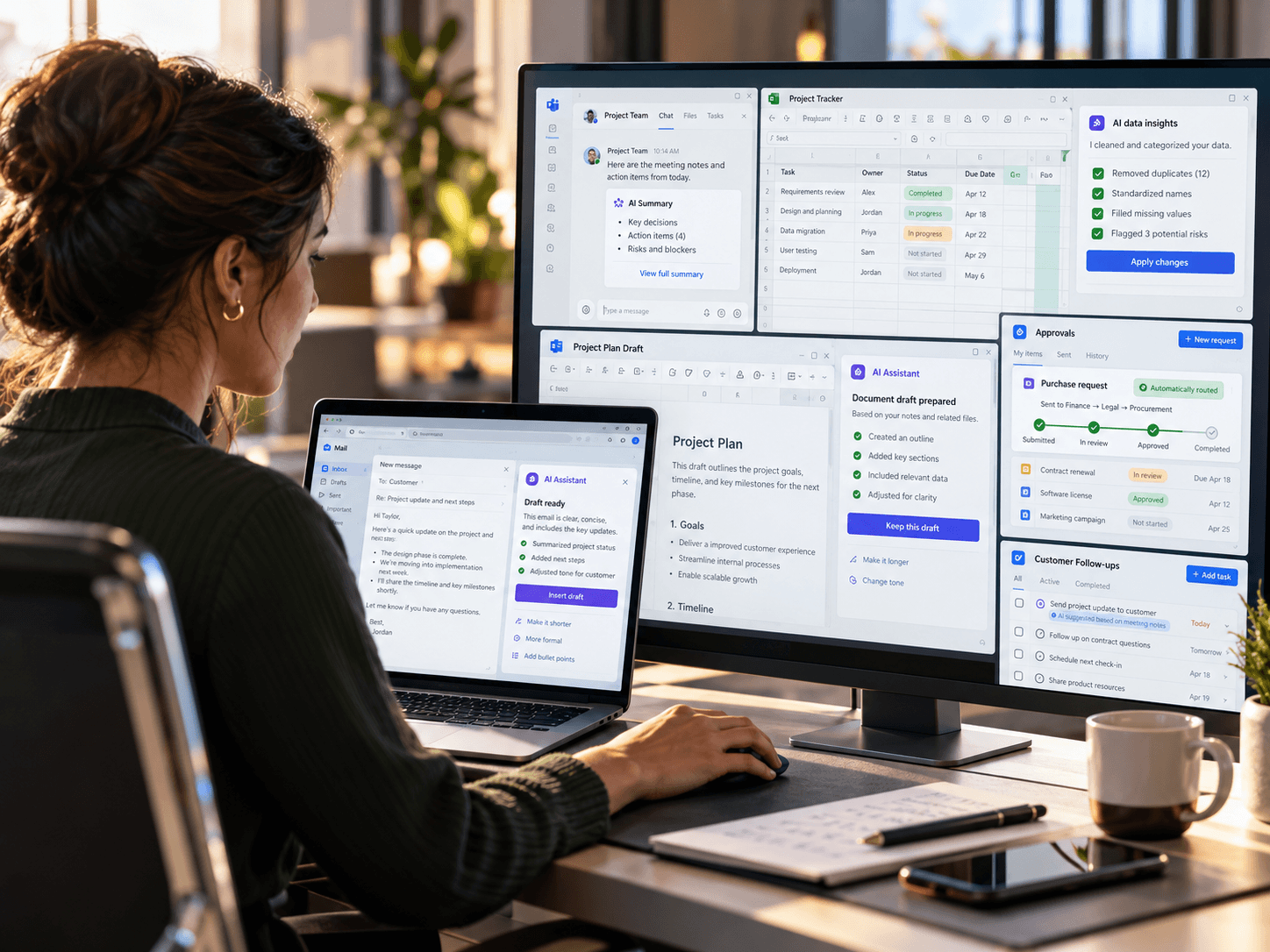
Some business processes still depend on memory. Someone remembers to send the email. Someone copies the information into another system. Someone asks whether the manager approved it. Someone checks a spreadsheet to see what happens next. None of those steps are individually difficult. But when they happen dozens or hundreds of times, they quietly consume hours that should be spent on customers, decisions, and higher-value work.
Information enters the workflow once instead of being retyped across several places.
The right person receives the task, approval, document, or notification based on defined rules.
Employees can see where the process stands without chasing someone for an update.
Automation handles the repeatable work while exceptions and decisions are routed to the right employee.

The easiest automation opportunities often hide inside ordinary conversations. “Then I email accounting.” “Then my manager approves it.” “Then I put it into the spreadsheet.” “Then someone creates the customer record.” Those handoffs are where work slows down, information gets duplicated, and people lose visibility. CSE maps the process from beginning to end before deciding what should be automated, what should stay manual, and where a human decision still matters.
Technology handled while the business keeps moving.
Microsoft Power Automate can create automated, scheduled, and desktop workflows across applications and services, while Power Apps can provide custom interfaces around business processes and connected data. CSE combines those capabilities around the process rather than forcing every problem into one tool.
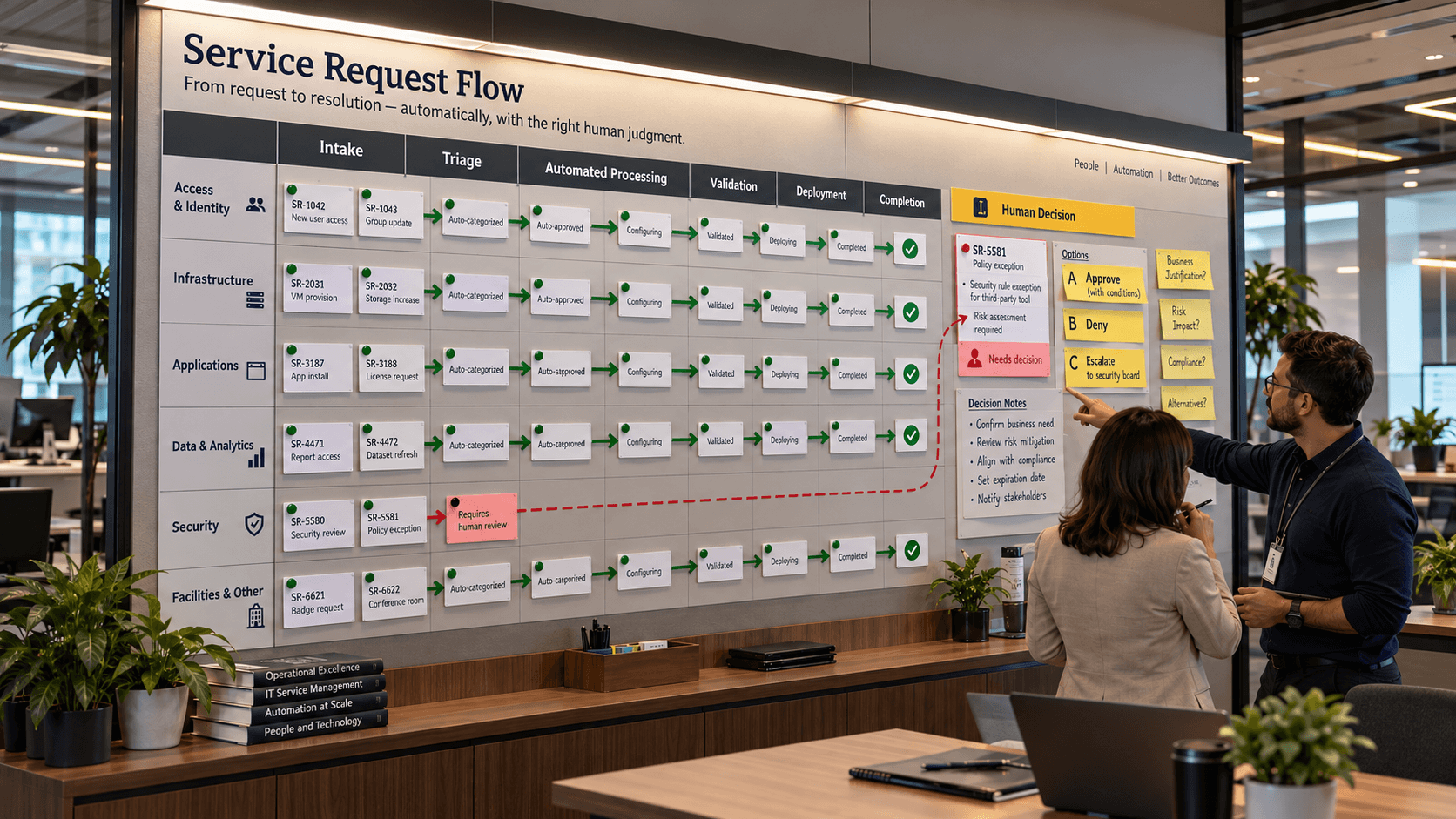
Not every task should run automatically from beginning to end. A payment may exceed an approval limit. A customer request may need judgment. A document may be missing information. A workflow may fail because a system is unavailable. CSE designs automation with those exceptions in mind, defining where the process can continue automatically and where it should stop, notify someone, or ask for a decision. That makes automation useful without turning it into another black box nobody understands.
Document how the process works today. Identify who starts it, what information is needed, where handoffs happen, and what usually causes delays.
Remove unnecessary steps before automating them. Clarify ownership, approvals, exceptions, and the expected outcome.
Create the workflow using the appropriate combination of Power Automate, Power Apps, Microsoft 365, Dynamics 365, or other connected systems. Test normal scenarios and exceptions with the employees who actually perform the work.
Review usage, failures, time saved, and employee feedback. Then improve the workflow or expand automation into the next process.
CSE works across Microsoft 365, Power Platform, Dynamics 365, Business Central, Azure, security, and data, allowing automation to connect to systems the business already uses.
The workflow is mapped before the tool is selected.
Automation can move the process while a custom application gives employees a cleaner way to interact with it.
Automation should respect who can access, approve, modify, or receive business information.
A good workflow knows when automation should stop and someone should make the call.
Automation can be reviewed and expanded as the business changes rather than treated as a one-time script.

CSE Statement“The best automation is the process employees eventually stop thinking about because the routine work simply happens.”
Information moves between employees and systems without someone having to repeatedly copy, forward, remind, or re-enter it.
The routine work reaches the right decision-maker sooner, with the information they need already attached.
Support for your people, management of devices and servers, security monitoring, backup, Microsoft 365 administration, and ongoing technology planning. Scope is agreed up front.
Yes. That is the co-managed model — CSE covers after-hours coverage, security operations and project work while your internal team keeps what it does best.
Yes. CSE runs a NOC and SOC on a 24/7/365 basis, so monitoring and security response continue outside business hours.
Yes. Devices are managed wherever they are, and access policies are configured so remote work does not weaken security.
Yes. Administration, licensing, security baselines and adoption are part of the service, backed by Microsoft Solutions Partner designations.
Small and midsize organizations across the United States, with or without an internal IT team. If CSE is not the right fit, we will say so.
Let’s look at what’s working, what’s creating risk, and where CSE can take work off your team’s plate.